When developers start learning React, they usually focus on components, hooks, and JSX syntax. But when you move from tutorials to real-world React projects, something changes. The problem is no longer “how to make it work”, but “how to keep it clean, scalable, and maintainable”.
After working on multiple production React applications, dashboards, landing pages, admin systems, and client projects, I noticed that I keep using the same patterns repeatedly. These are not theoretical patterns from books; they are practical React patterns that solve real problems.
In this article, I’ll share the most common React patterns I personally use in real projects, explain why they matter, and show clear examples you can actually apply in your own applications.
Why React Patterns Matter in Real Projects
In small apps, you can get away with messy code. But as soon as your project grows, bad structure starts to slow you down. React patterns help you:
- Reduce complexity as the app grows
- Make code easier to read for other developers
- Avoid duplicated logic
- Refactor features without breaking the app
Patterns are not rules; you don’t use them everywhere. You use them when the problem appears.
1. Container and Presentational Components Pattern
This pattern separates business logic from UI rendering. In real projects, mixing both in one component quickly becomes painful.
Why I use this pattern
- Cleaner components
- Reusable UI
- Easier debugging
Real-world example
        function UsersContainer() {
        const [users, setUsers] = React.useState([]);
        const [loading, setLoading] = React.useState(true);

        React.useEffect(() => {
        fetch("/api/users")
        .then(res => res.json())
        .then(data => {
        setUsers(data);
        setLoading(false);
        });
        }, []);

        if (loading) return <Spinner />;

        return <UsersList users={users} />;
        }
        function UsersList({ users }) {
        return (
        <ul>
        {users.map(user => (
        <li key={user.id}>{user.name}</li>
        ))}
        </ul>
        );
        }
This approach is extremely useful in dashboards and admin panels where API logic changes frequently.
2. Custom Hooks Pattern
If I write the same useEffect logic twice, I immediately stop and extract it into a custom hook. This is one of the most powerful patterns in React.
Benefits of custom hooks
- Cleaner components
- Single source of truth
- Better reusability
Example: Fetching data
        function useFetch(url) {
        const [data, setData] = React.useState(null);
        const [loading, setLoading] = React.useState(true);
        const [error, setError] = React.useState(null);

        React.useEffect(() => {
        fetch(url)
        .then(res => res.json())
        .then(result => {
        setData(result);
        setLoading(false);
        })
        .catch(err => {
        setError(err);
        setLoading(false);
        });
        }, [url]);

        return { data, loading, error };
        }
const { data, loading, error } = useFetch("/api/posts");
In production, I usually replace this with React Query, but the pattern remains the same.
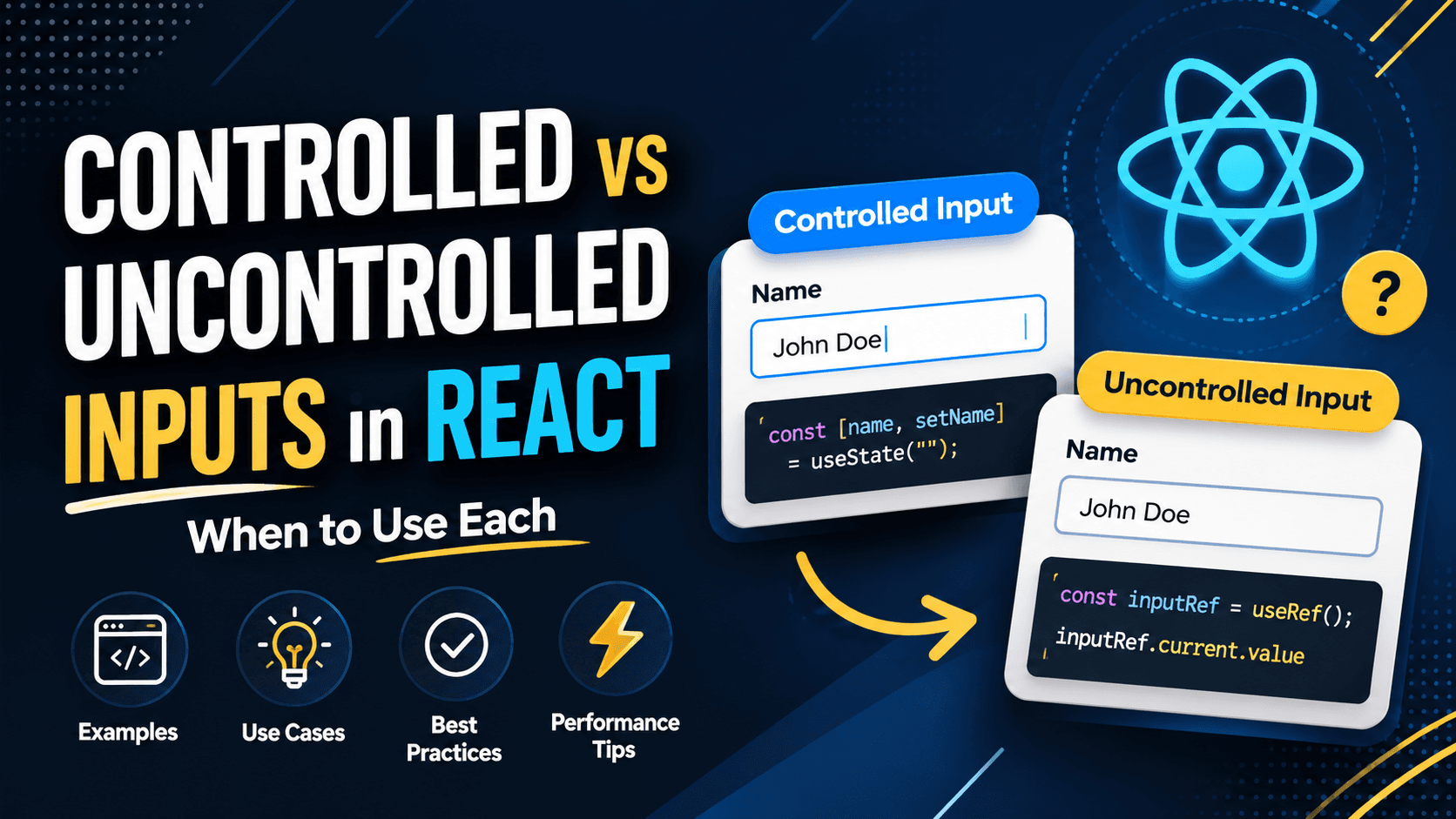
3. Controlled Components Pattern
Forms are everywhere in real applications. Login forms, payment forms, and settings pages, controlled components make them predictable and safe.
Why controlled components matter
- Easy validation
- Clear state flow
- No hidden input state
Example
        function LoginForm() {
        const [email, setEmail] = React.useState("");
        const [password, setPassword] = React.useState("");

        return (
        <form>
        <input
        value={email}
        onChange={(e) => setEmail(e.target.value)}
        placeholder="Email"
        />

        <input
        type="password"
        value={password}
        onChange={(e) => setPassword(e.target.value)}
        placeholder="Password"
        />
        </form>
        );
        }
For large forms, I usually combine this pattern with react-hook-form to improve performance.
4. Conditional Rendering Pattern
Every real app has loading states, error states, and empty states. How you render them matters a lot for readability.
Recommended approach
        if (loading) return <Spinner />;
        if (error) return <ErrorMessage />;
        if (!data) return <EmptyState />;

        return <Content data={data} />;
This keeps JSX clean and avoids unreadable nested ternaries.
5. Compound Components Pattern
This pattern shines when building reusable UI components like modals, tabs, and accordions. It improves developer experience significantly.
        <Modal>
        <Modal.Header title="Delete Item" />
        <Modal.Body>Are you sure?</Modal.Body>
        <Modal.Footer />
        </Modal>
Internally, these components share state using React Context.
6. Lifting State Up
Sometimes the simplest solution is the best one. If two components need the same state, lift it up.
        function Parent() {
        const [count, setCount] = React.useState(0);

        return (
        <>
        <Counter count={count} />
        <Controls setCount={setCount} />
        </>
        );
        }
I always try this before introducing context or global state.
7. Feature-Based Folder Structure
As projects grow, folder structure becomes critical. I strongly prefer feature-based organization.
        features/
        auth/
        components/
        hooks/
        services.js
This structure allows you to delete or refactor a feature without touching unrelated code.
Common Mistakes I Avoid
- Overusing Context API
- Premature optimization
- Abstracting too early
- Mixing business logic with UI
React patterns are not about writing fancy code. They are about writing boring, predictable, and scalable code.
In real-world projects, the best pattern is the one that makes your code easier to understand six months later.