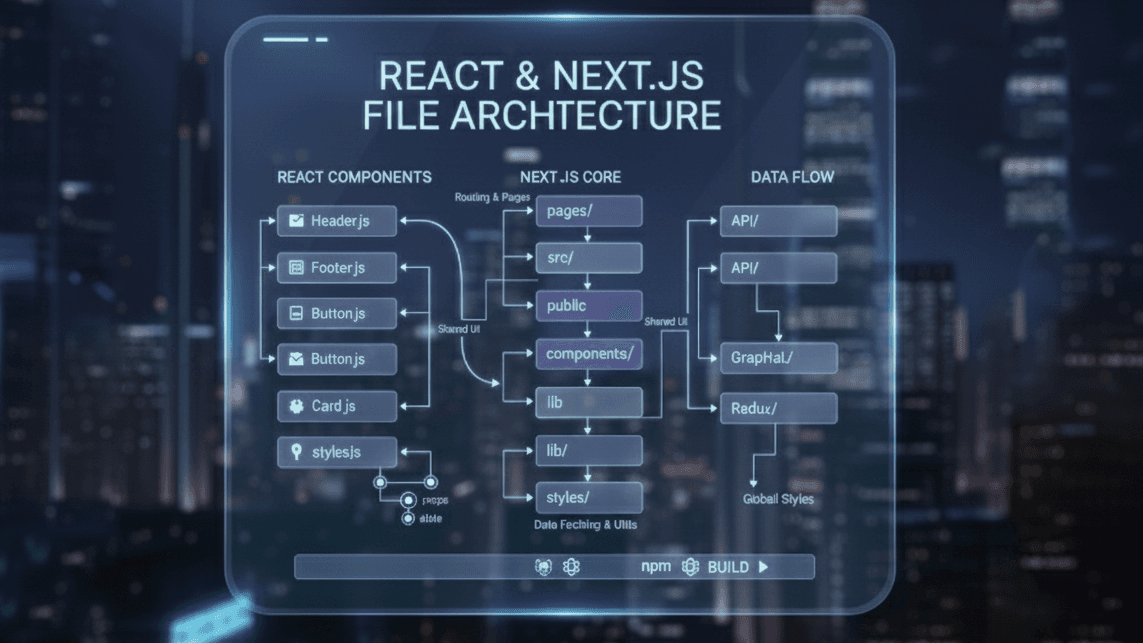
Frontend file architecture is more than organizing folders — it’s the backbone of scalability, maintainability, and developer experience. A clean structure ensures your team ships faster and your project avoids turning into spaghetti code.
Why File Architecture Matters
- Predictable code organization
- Easier onboarding for new developers
- Fewer bugs and easier debugging
- Reusable components and cleaner logic separation
- Faster development as the app grows
File Architecture Models in Frontend Development
There are several ways to organize a frontend codebase. Each model has pros and cons depending on the project size.
1- Type-Based Architecture (The Old Style)
This architecture groups files by their technical type — components with components, hooks with hooks, and utils with utils. It’s easy to learn and works well for tiny projects. But as the codebase grows, folders explode in size and it becomes difficult to know which files belong to which feature. This leads to “folder jumping,” where a developer must move between many folders to work on one feature.
src/
  components/
  pages/
  hooks/
  utils/
  services/
Pros:
- Simple for small projects
- Easy for beginners
Cons:
- Huge folders as the project grows
- Hard to know where a feature lives
- Logic and UI spread across many folders
2- Layered (Clean) Architecture
This approach separates the project into logical layers: domain, application logic, presentation, and infrastructure. Each layer has a specific purpose, creating a very structured and scalable system. It’s a great fit for enterprise-level apps with complex business logic, but it may feel too heavy and slow for small or medium projects because it adds extra abstraction.
src/
  domain/
  application/
  presentation/
  infrastructure/
Pros:
- Very scalable
- Great for enterprise apps
- Strong separation of concerns
Cons:
- Overkill for small/medium projects
- Requires strict discipline
3- Atomic Design Architecture (Design-System Focused)
Atomic Design organizes UI components into atoms, molecules, organisms, templates, and pages. It creates a consistent and reusable design system, making UI work easier and more scalable. However, it only solves visual structure — not business logic, routing, or data flow — so it is not enough to handle large application architecture on its own.
src/
  components/
    atoms/
    molecules/
    organisms/
    templates/
    pages/
Pros:
- Great for design systems
- Improves UI consistency
Cons:
- Doesn’t organize business logic
- Not enough for a full app structure
4- Domain-Driven Architecture
In this model, the application is divided based on business domains like users, orders, products, etc. Everything related to each domain lives in one folder. This makes scaling easier, especially for teams where each group owns a domain. The architecture works best for apps with complex business logic, but it requires a deep understanding of business rules to implement correctly.
src/
  cart/
  orders/
  users/
  products/
Pros:
- Very scalable and modular
- Easy to assign domains to teams
Cons:
- Requires good business domain understanding
5- Microfrontend Architecture
This architecture splits the UI into multiple independent applications. Each microfrontend can be built, deployed, and scaled on its own. It’s perfect for very large companies with multiple autonomous teams. But the complexity is high — routing, communication, design consistency, and deployments become harder. It’s unnecessary unless the app and teams are extremely large.
Pros:
- Perfect for very large teams
- Independent deployability
Cons:
- Complicated setup
- Not needed unless the app is huge
6- Recommended: Feature-Based Architecture (Best for 95% of Projects)
This architecture organizes the project by features instead of file types. Each feature contains its own components, hooks, API calls, utils, and tests — everything it needs to function. It’s clean, predictable, scalable, and matches how modern apps grow. Developers can work independently on features without stepping on each other’s code, making it ideal for 95% of React, Next.js, and Vite projects.
src/
  features/
    auth/
      components/
      hooks/
      api/
      utils/
      constants/
    products/
      components/
      hooks/
      api/
  components/ (global reusable UI)
  hooks/ (global reusable hooks)
  utils/
  services/
  store/
  styles/
Why Feature-Based Architecture Is the Best:
- Scales naturally as features grow
- Keeps everything isolated (API, components, hooks)
- No overloaded global folders
- Easier teamwork — each developer owns a feature
- Clean and predictable
Example: Feature Folder Breakdown
features/auth/
  components/LoginForm.jsx
  hooks/useLogin.js
  api/auth.api.js
  utils/validateAuth.js
  constants/index.js
Everything related to auth lives in one organized place. No more searching through 7 folders.
Comparing All Architectures
| Architecture | Best For | Downsides |
|---|---|---|
| Type-Based | Small apps | Gets messy quickly |
| Layered | Enterprise-scale | Too heavy for most apps |
| Atomic Design | Design systems | Doesn't organize logic |
| Domain-Driven | Complex business apps | Requires domain knowledge |
| Microfrontends | Large companies | Very complex setup |
| Feature-Based (Recommended) | Most modern apps | Almost no downsides |
Final Thoughts
Choosing the right architecture shapes how your project grows. While many structures exist, feature-based architecture is the most balanced, scalable, and developer-friendly approach for modern frontend apps.
It keeps logic organized, scales with your team, and avoids the massive-folder chaos that kills productivity.