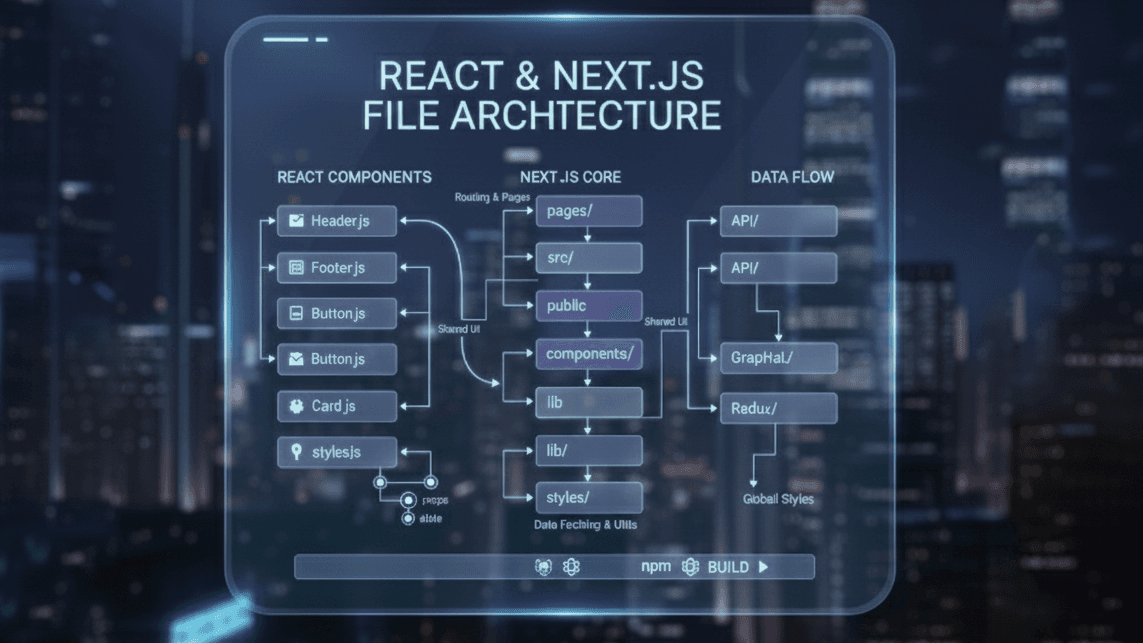
Frontend file architecture is more than organizing folders — it's the backbone of scalability, maintainability, and developer experience. A clean structure ensures your team ships faster and your project avoids turning into spaghetti code that everyone is afraid to touch.
In this complete guide, we'll break down the most common frontend architecture models, their pros and cons, and why feature-based architecture is the best choice for most modern React, Next.js, and Vite apps.
Why File Architecture Matters
- Predictable code organization
- Easier onboarding for new developers
- Fewer bugs and easier debugging
- Reusable components and cleaner logic separation
- Faster development as the app grows
The cost of a bad structure is invisible at first and painful later: as the codebase grows, developers waste time searching for files, duplicate logic, and break unrelated features with small changes. Good architecture is an investment that pays off every single week.
File Architecture Models in Frontend Development
There are several ways to organize a frontend codebase. Each model has pros and cons depending on the project size and team structure. Let's walk through the main ones.
1- Type-Based Architecture (The Old Style)
This architecture groups files by their technical type — components with components, hooks with hooks, and utils with utils. It's easy to learn and works well for tiny projects. But as the codebase grows, folders explode in size and it becomes difficult to know which files belong to which feature. This leads to “folder jumping,” where a developer must move between many folders just to work on one feature.
src/
  components/
  pages/
  hooks/
  utils/
  services/
Pros:
- Simple for small projects
- Easy for beginners
Cons:
- Huge folders as the project grows
- Hard to know where a feature lives
- Logic and UI spread across many folders
2- Layered (Clean) Architecture
This approach separates the project into logical layers: domain, application logic, presentation, and infrastructure. Each layer has a specific purpose, creating a very structured and scalable system. It's a great fit for enterprise-level apps with complex business logic, but it may feel too heavy and slow for small or medium projects because it adds extra abstraction and indirection.
src/
  domain/
  application/
  presentation/
  infrastructure/
Pros:
- Very scalable
- Great for enterprise apps
- Strong separation of concerns
Cons:
- Overkill for small/medium projects
- Requires strict discipline
3- Atomic Design Architecture (Design-System Focused)
Atomic Design organizes UI components into atoms, molecules, organisms, templates, and pages. It creates a consistent and reusable design system, making UI work easier and more scalable. However, it only solves visual structure — not business logic, routing, or data flow — so it is not enough to handle large application architecture on its own.
src/
  components/
    atoms/
    molecules/
    organisms/
    templates/
    pages/
Pros:
- Great for design systems
- Improves UI consistency
Cons:
- Doesn't organize business logic
- Not enough for a full app structure
4- Domain-Driven Architecture
In this model, the application is divided based on business domains like users, orders, and products. Everything related to each domain lives in one folder. This makes scaling easier, especially for teams where each group owns a domain. The architecture works best for apps with complex business logic, but it requires a deep understanding of business rules to implement correctly.
src/
  cart/
  orders/
  users/
  products/
Pros:
- Very scalable and modular
- Easy to assign domains to teams
Cons:
- Requires good business domain understanding
5- Microfrontend Architecture
This architecture splits the UI into multiple independent applications. Each microfrontend can be built, deployed, and scaled on its own. It's perfect for very large companies with multiple autonomous teams. But the complexity is high — routing, communication, design consistency, and deployments all become harder. It's unnecessary unless the app and teams are extremely large.
Pros:
- Perfect for very large teams
- Independent deployability
Cons:
- Complicated setup
- Not needed unless the app is huge
6- Recommended: Feature-Based Architecture (Best for 95% of Projects)
This architecture organizes the project by features instead of file types. Each feature contains its own components, hooks, API calls, utils, and tests — everything it needs to function. It's clean, predictable, scalable, and matches how modern apps grow. Developers can work independently on features without stepping on each other's code, making it ideal for 95% of React, Next.js, and Vite projects.
src/
  features/
    auth/
      components/
      hooks/
      api/
      utils/
      constants/
    products/
      components/
      hooks/
      api/
  components/ (global reusable UI)
  hooks/ (global reusable hooks)
  utils/
  services/
  store/
  styles/
Why Feature-Based Architecture Is the Best:
- Scales naturally as features grow
- Keeps everything isolated (API, components, hooks)
- No overloaded global folders
- Easier teamwork — each developer owns a feature
- Clean and predictable
Example: Feature Folder Breakdown
features/auth/
  components/LoginForm.jsx
  hooks/useLogin.js
  api/auth.api.js
  utils/validateAuth.js
  constants/index.js
Everything related to auth lives in one organized place. No more searching through seven folders just to fix a login bug. When a feature is done or removed, you can delete its folder with confidence that nothing else breaks.
Comparing All Architectures
| Architecture | Best For | Downsides |
|---|---|---|
| Type-Based | Small apps | Gets messy quickly |
| Layered | Enterprise-scale | Too heavy for most apps |
| Atomic Design | Design systems | Doesn't organize logic |
| Domain-Driven | Complex business apps | Requires domain knowledge |
| Microfrontends | Large companies | Very complex setup |
| Feature-Based (Recommended) | Most modern apps | Almost no downsides |
How to Choose the Right Architecture
- Tiny project or prototype? Type-based is fine — don't over-engineer.
- Growing product with a small team? Feature-based is the sweet spot.
- Large enterprise with complex rules? Consider layered or domain-driven.
- Multiple independent teams and huge scale? Only then look at microfrontends.
You can also combine ideas — for example, feature-based folders that use Atomic Design inside their component folders. Start simple and refactor toward more structure only when the pain of the current setup is real.
Frequently Asked Questions
What is the best folder structure for React?
For most React apps, feature-based architecture is the best balance of simplicity and scalability. Group everything a feature needs in one folder.
Should small projects worry about architecture?
Keep it simple. A basic type-based structure is fine for small apps; adopt feature-based organization as the project grows.
Can I change my architecture later?
Yes, but incremental refactoring is easier than a big rewrite. Move one feature at a time into the new structure.
Final Thoughts
Choosing the right architecture shapes how your project grows. While many structures exist, feature-based architecture is the most balanced, scalable, and developer-friendly approach for modern frontend apps.
It keeps logic organized, scales with your team, and avoids the massive-folder chaos that kills productivity. Pick a structure, stay consistent, and let it evolve with your project.